⚠️This is documentation for AG2 Classic (autogen package), which is in maintenance mode. For the latest version, use AG2 v1.0+ (ag2 package) at docs.ag2.ai.
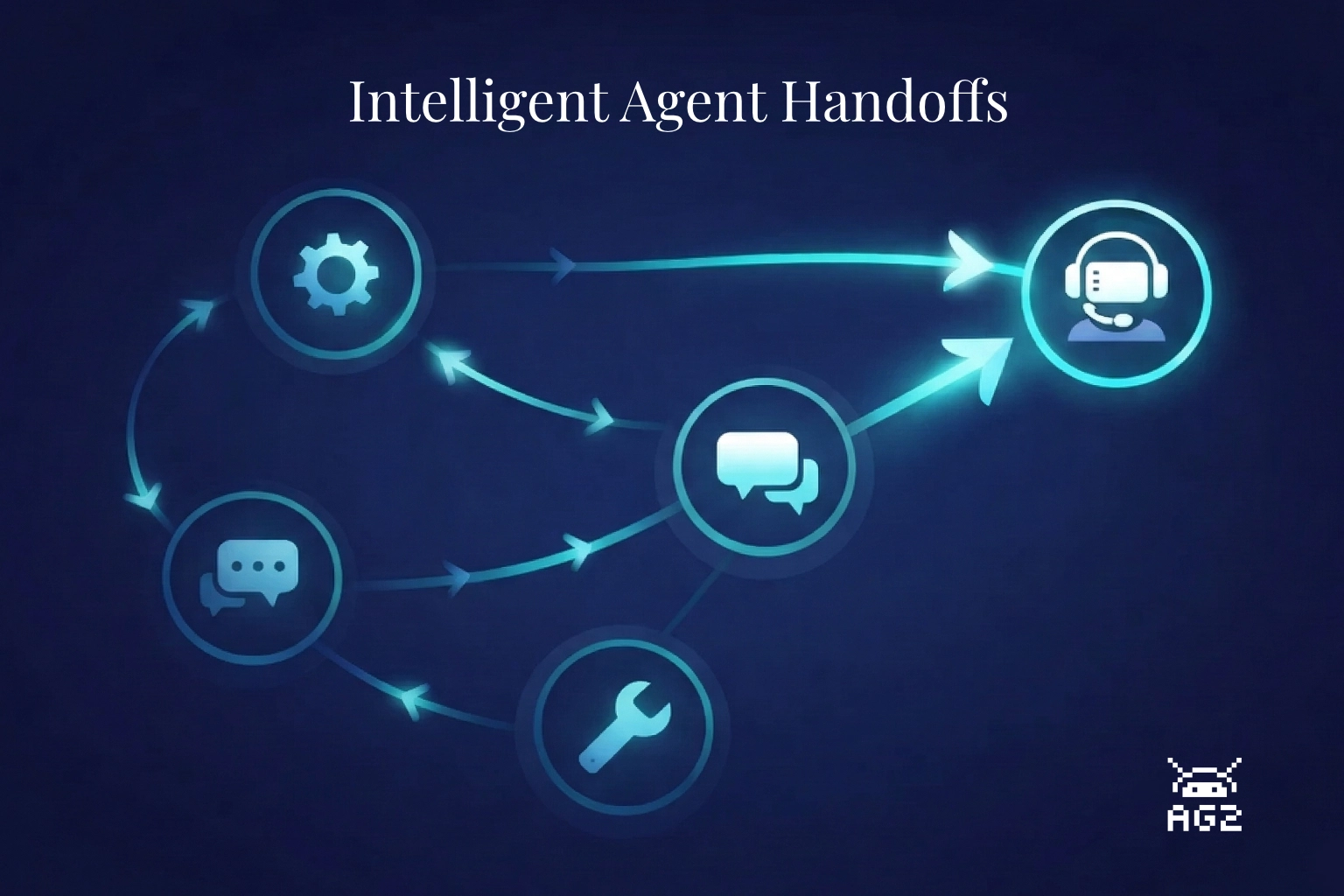
A customer messages your support system: "My laptop keeps shutting down randomly." The triage agent routes it to technical support. So far, so good. But the tech agent doesn't know whether this is a hardware or software issue, doesn't check the customer's account tier, and when it can't solve the problem, it hallucinates an answer instead of escalating. The customer leaves frustrated. The agent never knew it was supposed to hand off.
This is the handoff problem. And it's harder than it looks.
Ask an LLM to research a topic and write a report. It'll produce something -- sometimes quite good. But probe the sources, check the claims, or ask for substantial revisions and the limitations show up fast. The agent that searched the web is also the one drawing conclusions from it. There's no review step between research and writing. Errors and gaps pass straight through to the final document.
The fix isn't a better prompt. It's division of labor.
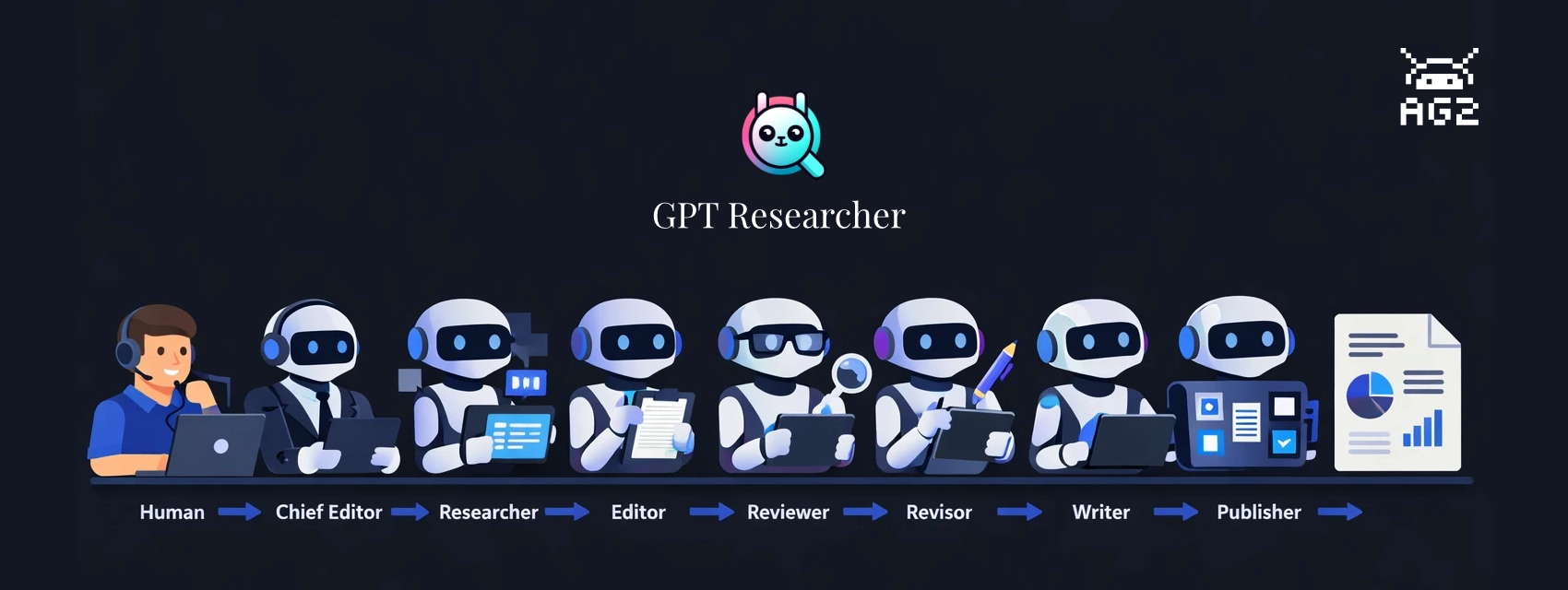
GPT Researcher, created by Assaf Elovic, is built on this idea: specialized agents, each with a distinct job, working through a staged pipeline. A researcher gathers, an editor outlines, a reviewer challenges the findings, a revisor incorporates the feedback, and a writer only touches finalized content. Every handoff is a quality check.
This post walks through the build-with-ag2 example, which runs the full pipeline with AG2 as the orchestration layer. The example ships with two run modes -- a terminal script and a web UI built on AG-UI that shows pipeline progress in real time and includes a human-in-the-loop review step before writing begins.
You've built an agent with AG2. It reasons, calls tools, and streams responses. But right now it lives in a terminal or a script. The moment you want to put it in front of a user (like for a blog, perhaps) and stream text token by token, show tool activity as it happens, and handle errors gracefully you're building custom plumbing: WebSocket handlers, bespoke JSON formats, state synchronization logic.
AG-UI (Agent-User Interaction Protocol) is an open, lightweight, event-based protocol that standardizes this agent-to-UI layer. AG2 now supports AG-UI natively, meaning you can connect any ConversableAgent to an AG-UI-compatible frontend with just a couple of lines of code.
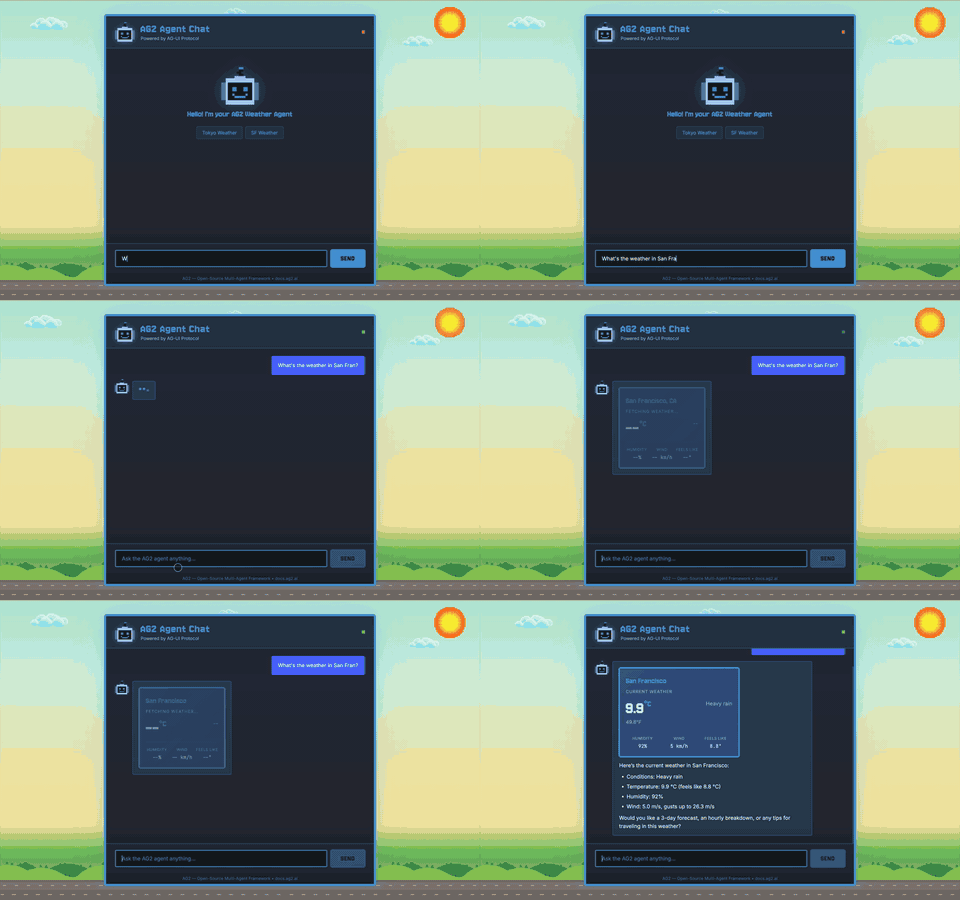
In this post, we'll look under the hood at how the protocol works by building a working agent chat application from scratch using a ConversableAgent with a weather tool, sending AG-UI events to a browser frontend that renders streaming text and an interactive tool card. Simple HTML, no frontend framework required.
Multi-agent systems are powerful -- but when something goes wrong, figuring out where and why is painful. Which agent made the bad decision? Was the LLM call slow, or did the tool fail? How many tokens did that group chat actually use?
AG2 now has built-in OpenTelemetry tracing that gives you full visibility into your multi-agent workflows. Every conversation, agent turn, LLM call, tool execution, and speaker selection is captured as a structured span -- connected by a shared trace ID and exportable to any OpenTelemetry-compatible backend.
Key highlights:
Four simple API functions to instrument agents, LLM calls, group chats, and A2A servers
Hierarchical traces that mirror how agents process conversations
Distributed tracing across services using W3C Trace Context propagation
Works with any backend -- Jaeger, Grafana Tempo, Datadog, Honeycomb, Langfuse, and more
Follows OpenTelemetry GenAI Semantic Conventions for standard interoperability
AG2 v0.10.3 introduces native support for Google Gemini's Thinking Configuration, enabling fine-grained control over how Gemini models approach complex reasoning tasks. With thinking_budget, thinking_level, and include_thoughts parameters, you can now customize the depth and transparency of your agent's reasoning process, making it ideal for complex problem-solving, research tasks, and scenarios where you need insight into the model's internal reasoning.
This article explores how to leverage Gemini Thinking Configuration in AG2 for enhanced reasoning capabilities, with practical examples for different use cases and model variants.
Google Gemini models support advanced reasoning features that allow them to "think" through problems before providing answers. This internal reasoning process can significantly improve performance on complex tasks, but until now, controlling this behavior in AG2 required custom configurations or workarounds.
AG2 v0.10.3's native ThinkingConfig support solves this by providing direct access to Gemini's thinking parameters through the standard LLMConfig interface, making it easy to:
Control the amount of reasoning tokens allocated to complex problems
Adjust thinking intensity for different task complexities
Reveal the model's internal reasoning process when needed
Optimize cost and performance based on your specific use case
AG2's MCPClientSessionManager revolutionizes how you connect to multiple MCP (Model Context Protocol) servers by enabling on-demand session creation within your agent workflows. Instead of maintaining persistent connections, you can now dynamically open sessions to different servers—whether they use stdio or SSE transports—right inside your tool functions.
This article explores how to leverage MCPClientSessionManager for flexible, resource-efficient multi-server agent architectures, with practical examples for building research assistants, data pipelines, and intelligent routing systems.
AG2's shell tool integration with OpenAI's Responses API enables agents to execute shell commands directly, unlocking powerful automation capabilities for filesystem operations, build processes, and system diagnostics. Combined with the apply_patch tool, you can orchestrate complete DevOps pipelines—from project creation to deployment validation—all within a single agent workflow.
This article explores how to leverage AG2's built-in tools for command execution, file operations, and multi-tool orchestration, with practical examples for automating development workflows and building production-ready DevOps pipelines.
AG2 now integrates with Python's standard logging module for event output, giving you full control over how agent events are captured, formatted, and processed. This integration brings enterprise-grade observability directly into your agent workflows.
This article explores how to configure and customize AG2 event logging, with practical examples for testing, monitoring, and production deployments.
AG2 now supports the apply_patch tool (from GPT-5.1 onward) through OpenAI's Responses API, enabling agents to create, update, and delete files using structured diffs. This integration brings precise, controlled file operations directly into your agent workflows.
This article explores how to use apply_patch in AG2, with practical examples for automated code editing, project scaffolding, and multi-file refactoring.
The apply_patch tool is a built-in capability in GPT-5.1 and above models that enables agents to perform structured file operations using unified diff format. Unlike traditional code generation approaches where agents output raw code blocks that you must manually integrate, apply_patch provides a standardized interface for file modifications that can be directly applied to your codebase.
The tool handles three core operations: - create_file: Generate new files with specified content - update_file: Modify existing files using unified diff format - delete_file: Remove files from the workspace
AG2 v0.10 introduces native support for the Agent2Agent (A2A) Protocol, enabling agents to communicate across different processes, frameworks, and languages through a standardized interface.
This article walks through implementing A2A in AG2, with a focus on practical patterns for building distributed agent systems.
A2A is a JSON-RPC 2.0 protocol over HTTP(S) for agent-to-agent communication. It provides a framework-agnostic interface that allows agents built with different tools (AG2, LangGraph, CrewAI, Semantic Kernel, Pydantic AI, etc.) to communicate without custom integration code.
The protocol handles: - Task delegation and execution - Bidirectional communication between agents - Authentication and security - Observability and monitoring